Assignment
The goal of this phase is to prepare the needed drawings to manufacturing the three dimensional module which you created in the first two weeks of Algorithmic Design. This too will be achieved by further developing the grasshopper script in order to automatically generate the 2d drawings needed for the Laser Cutting machine. Unlike previous exercises, you won’t have an entire week to complete this phase but only the 3 workshop hours to prepare the files and submit them online in groups of two in order for the Fab Lab team to have the week to Laser Cut your pieces. The week after CNC Manufacturing 2 will be conducted in campus at the Fab Lab where you are going to retrieve and assemble your Laser Cut pieces and use the assembly to thermoform a skin, but more on that next week.
Instructions
Follow the video tutorial at this link and prepare the file using your model BY THE END OF THIS SESSION
- Prepare the grasshopper file to generated the 2D curves
- Make sure you download and install the following plugins (no worries if not available for mac) for grasshopper as they are needed for the tutorial (OpenNest, LunchBox, Pufferfish)
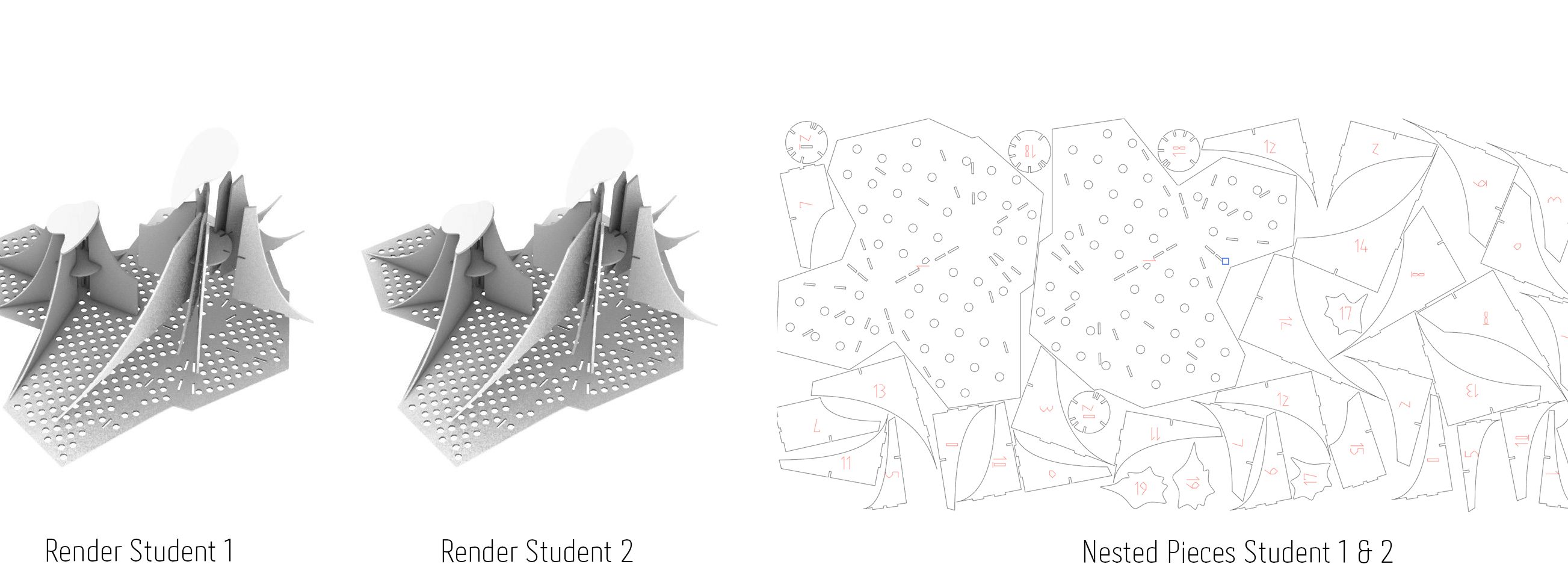
- Download and install DeepNest to nest the cutting files generated in grasshopper, make sure you take the curves from your colleague as well as only one person will have to use DeepNest to nest the components of both modules on a single sheet of MDF 1200mm X 700mm. (DeepNest is not a grashopper plugin, install it separately)
- Open the nested files in DeepNest back in Adobe Illustrator change all colors to R0-G0-B0 (black) and all numerations R255-G0-B0 (Red), change the thickness of all the lines to 0.001mm, and save the file as Adobe Illustrator (choose version CS5 when asked).
- Navigate to this sharepoint link where you will upload your files for easy access from the the Fab Lab. Make sure to name your file as such (01-valeria-bob.ai) the number corresponds to the time of submission when you access the link, check what’s already there and update your number accordingly, add DONE to your filename when you finish cutting. To chose your group members pick people who already have finished the exercise and are ready to nest. If you finish your file and you can’t find anybody else who’s ready you may proceed to cut the files individually. Make sure you nesting such a way to use your MDF panels efficiently without wasting the material.
- Make sure your file is correct before Laser cutting it, every mistake or recutting will be taken into consideration, you can’t cut more than 3 times.
Submission
Blog
- Submit on your blog the renders and nested file accordingly to the example above, you can arrange them vertically as well. Make sure that you take an image of the nested components before changing the line thickness else the lines won’t be visible. Write your group name and the name of your colleague who’s file you nested as well.
Moodle
- You will submit moodle by the end of the CNC module next week.

